Compio — a notebook calculator for everyday math
- My role:
- Owner, developer, designer
- When:
- 2026
- Link:
- Compio.app
- Repository:
- GitHub
Compio combines a calculator with a notebook. It’s a personal product that I designed and developed myself.
Each line is either a calculation or a named value that you can reuse later. It’s designed for budgeting, unit conversions, quick what-if math, and reusable calculations.
It’s a Progressive Web App (PWA) that works offline once installed. You can install it on your phone or computer and open it from the home screen or app launcher — like a native app, without the browser toolbar.
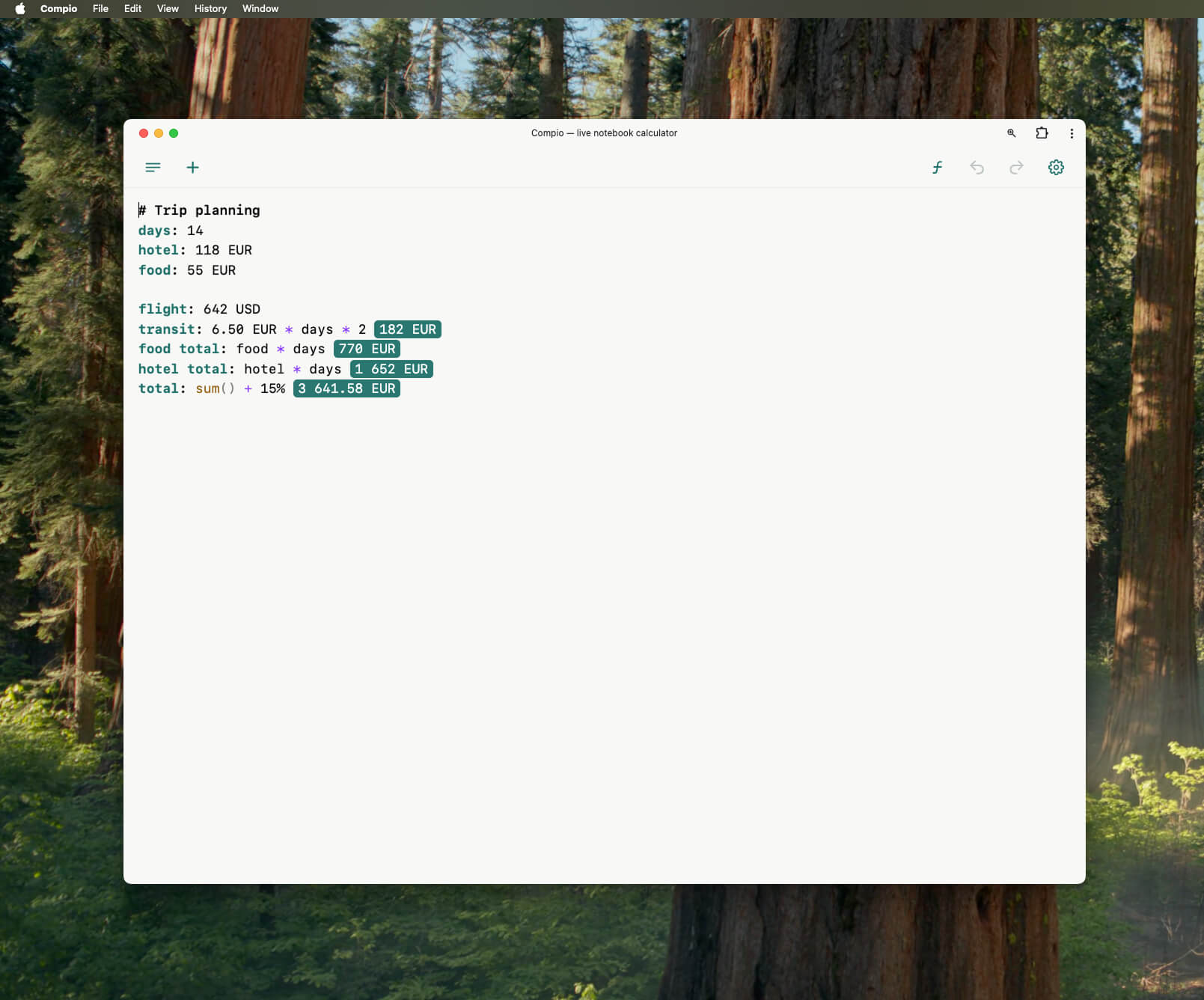
When it’s installed, you get:
- A standalone window focused on your documents;
- Documents are stored locally in your browser;
- Works fully offline except when fetching live currency exchange rates. If you are offline, the app will use cached rates that were previously fetched.
Scenarios
Quick and editable math
A traditional calculator works well for simple calculations, like adding or subtracting values. But once your calculation grows beyond a few expressions, it becomes increasingly difficult to use:
- You need to think about input order upfront;
- If you made an error, you have to do everything from the start;
- Unit and currency conversions become cumbersome.
In Compio, you can edit any previous line and every dependent result updates instantly. With the editor and named values, it’s easier to write more complex calculations.
Currency conversion
Currency conversion between codes (e.g., 10 USD in EUR) requires a network connection and fetches rates from the Frankfurter API. But once the exchange rates are cached, it can work offline. If you’re travelling abroad and expect to be without internet, you can prepare Compio. Use the country’s currency beforehand, while you are still online. The exchange rate will be cached, so you will have it when you are without internet.
Reusing saved calculations
All your calculations are saved on your device. If you often need to calculate something, you can keep it in Compio and adjust numbers to see an immediate result.
Features
- Write arithmetic with familiar operators (
+,-,*,/,%,^) and parentheses; - Assign names to results with
subtotal = 1923 * 1.15and refer to them on later lines; - Use built-in functions (
sqrt,root,round,sum,average, and more); - Use numbers with units and convert them to other units with
in,to, oras(e.g.10 USD in EUR,500 g in oz); - Add and subtract compatible units (e.g.
10 cm + 1 m); - Add comments (
//) and headings (#); - Work with multiple documents.
See the user manual for the complete feature list.
Development
I built it with amazing libraries: Lezer Parser System and CodeMirror code editor.
Basically, I have created a small language and a processor for it:
- I described the language grammar and built the parser using Lezer.
- Implemented an evaluator that traverses a parsed syntax tree and calculates each line.
I have used CodeMirror as an editor and implemented syntax highlighting, autocompletion, rendering inline result widgets, etc.