Case: Keeping financial records complete and up to date
Designing inboxes that help businesses process uncategorized transactions and follow up on overdue payments.
- My role
- Product Designer
- Team
- PM and one developer
- Constraints
- Ship an improvement in one sprint
- When
- Launched on May 21, 2021
Finolog users reported occasionally forgetting to follow up on planned payments: “We create planned incoming payments; sometimes clients don’t pay on time, and we want to track such payments.”
Goal: Increase the value of planning and help users follow up on overdue payments.
Job stories
When a client hasn’t paid on time:
- I want to know about it, so I can remind the client to pay.
- When a client hasn’t paid on time, I want the person responsible for the client to know about it, so they can remind the client to pay.
How will we measure it?
- Increase in the average/median number of planned operations created per business
- Ask users to rate the feature on a 5-point scale
A related problem
While approaching the task, I remembered another problem I had noticed in the analytics. Some accounts have uncategorized operations — those that weren’t matched automatically and don’t have a category assigned manually.
Solution
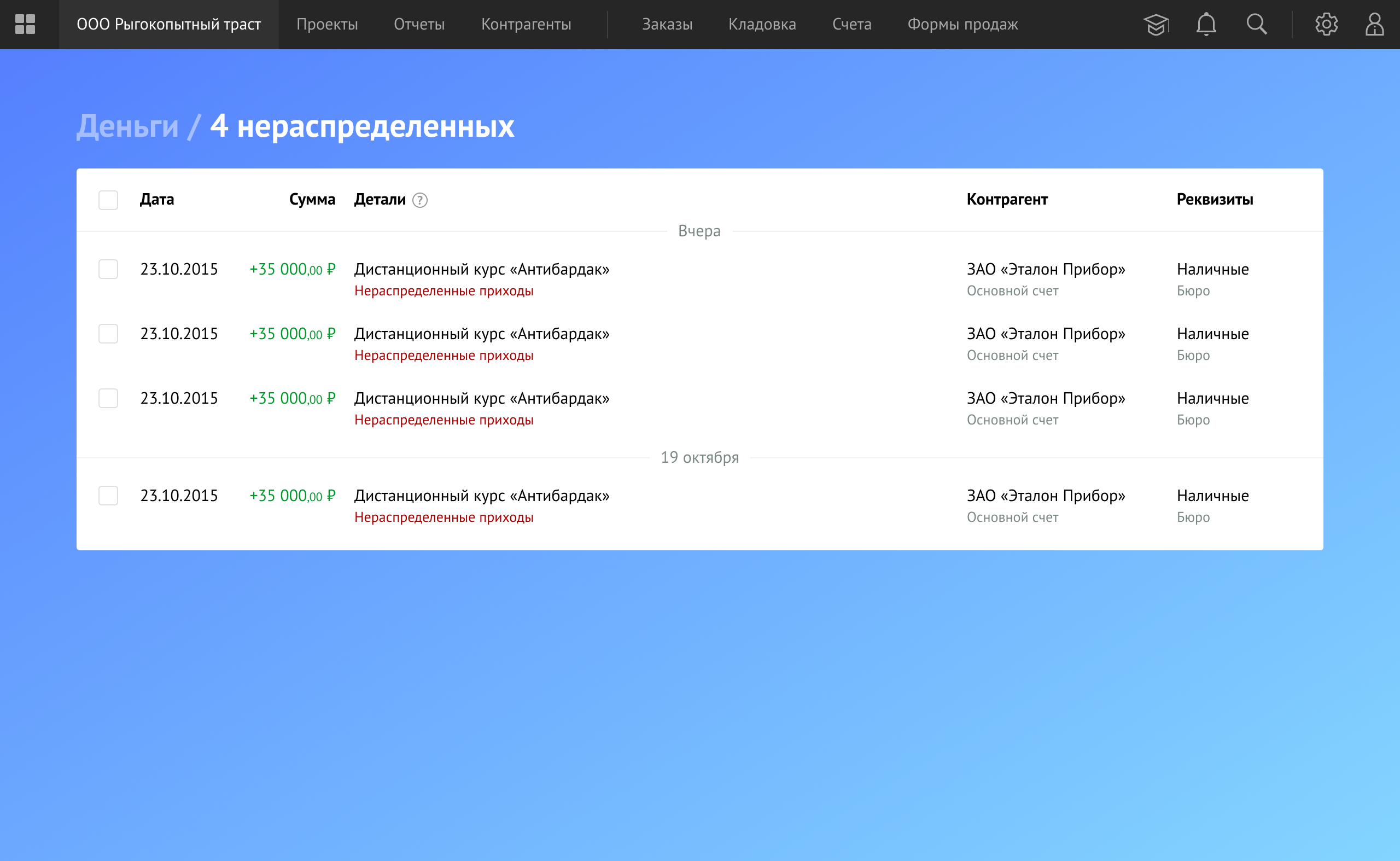
I designed dedicated inboxes in the Money section:
- An inbox for overdue planned payments.
- An inbox for uncategorized operations (those that weren’t matched automatically and don’t have a category assigned in manual mode).
Notifications for overdue and uncategorized operations:
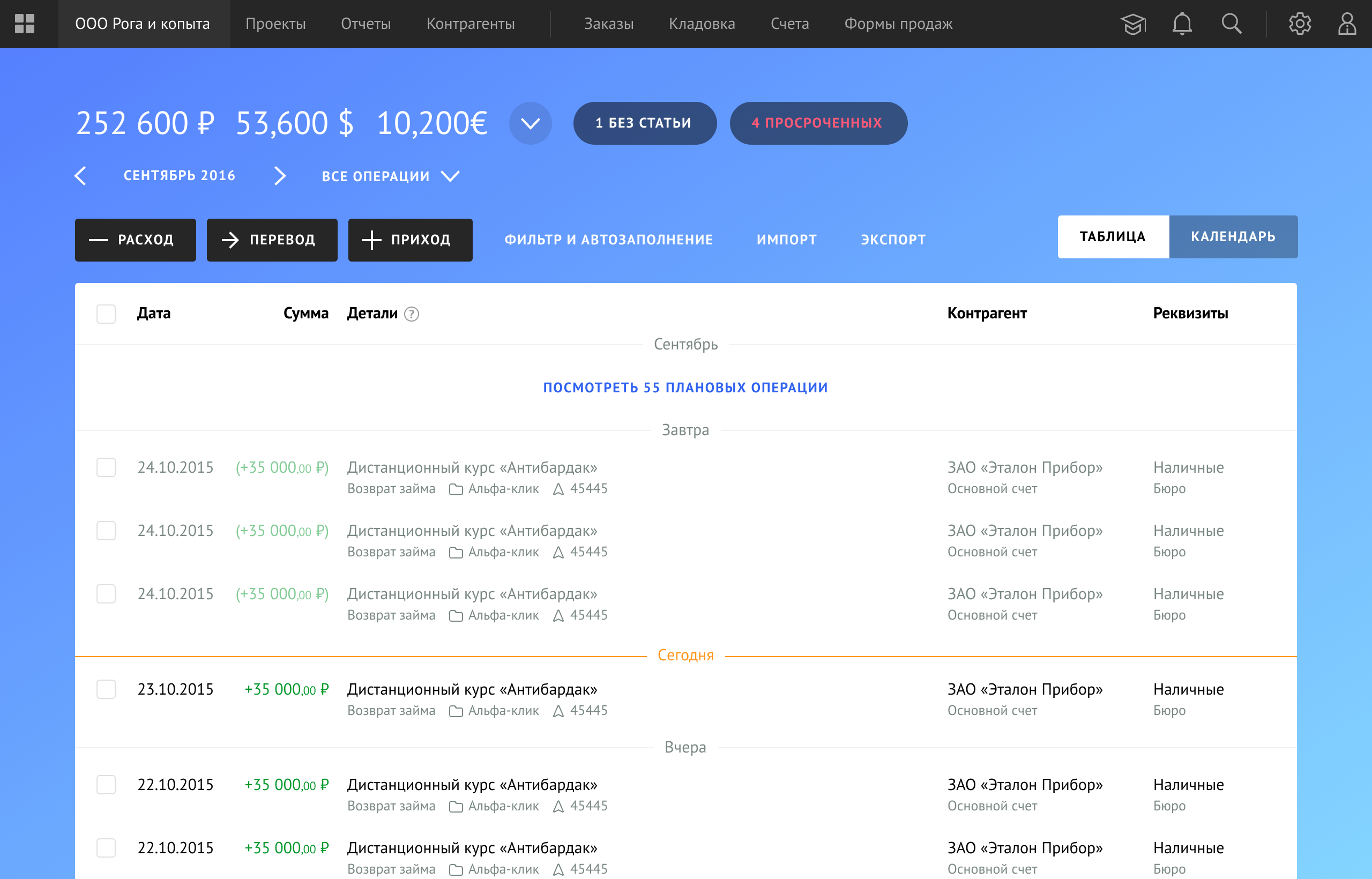
Each notification takes the user to a dedicated inbox:
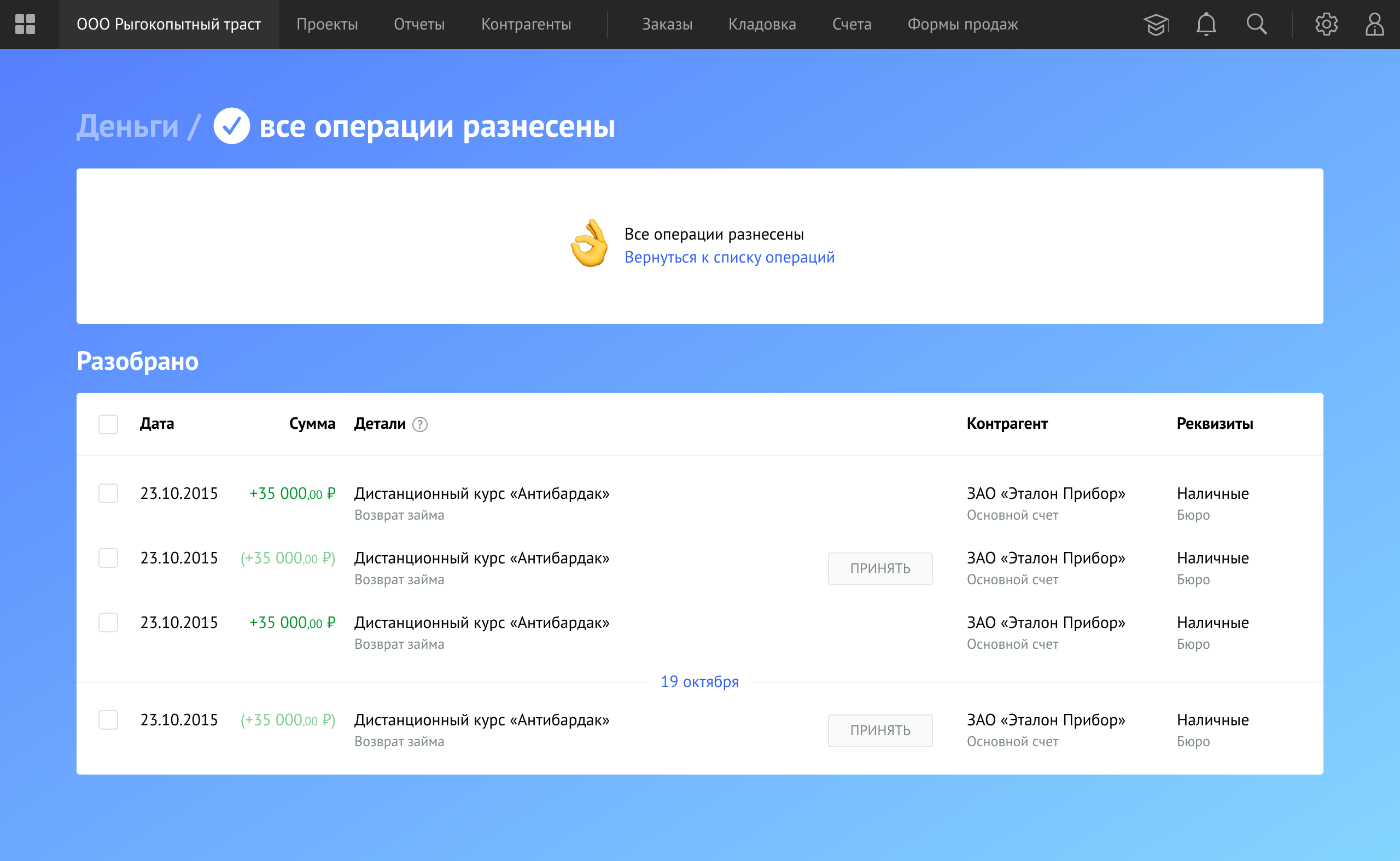
As the user processes transactions in the inbox, they are moved to the “Processed” section. This allows the user to review their work and fix accidental mistakes.
Launch results
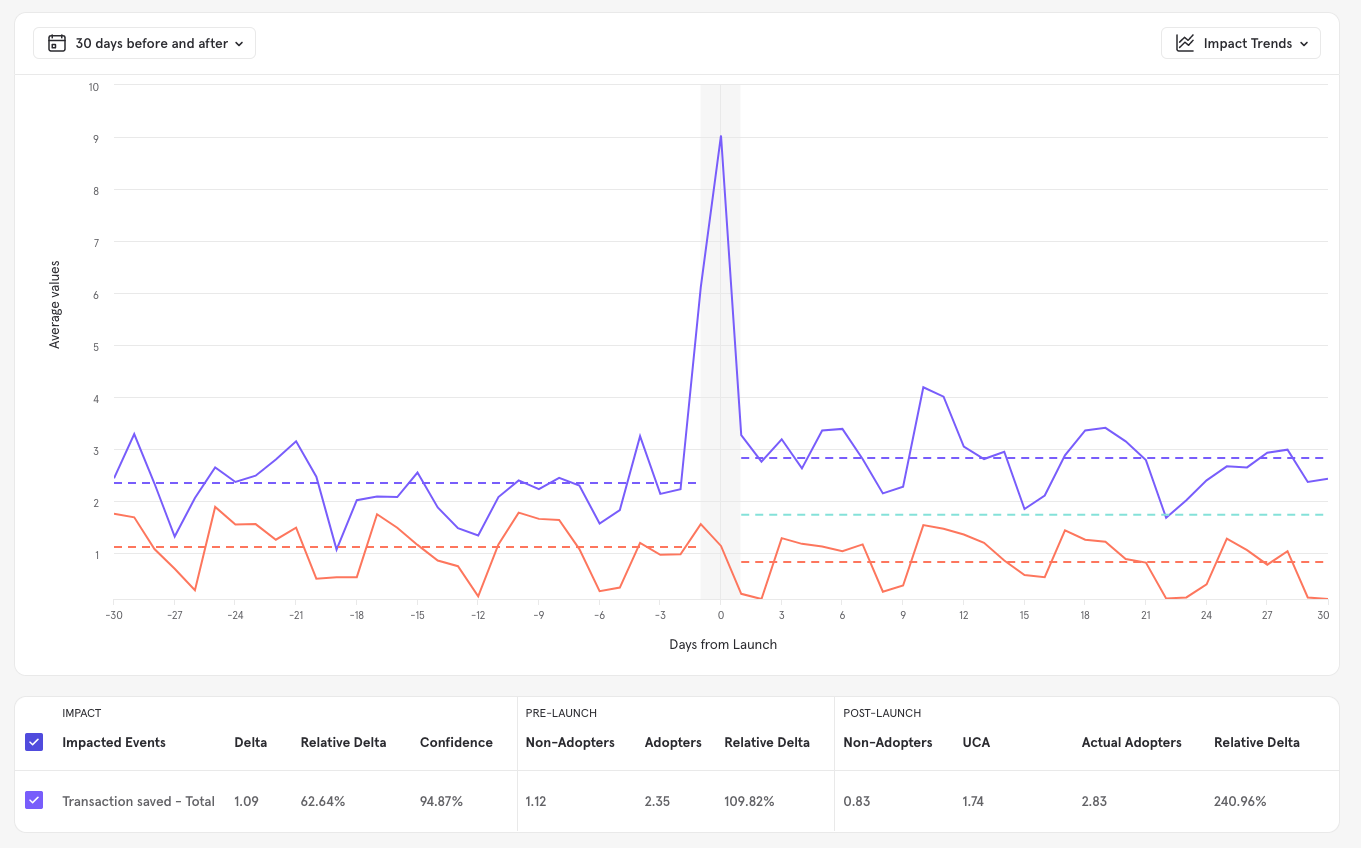
The inbox for uncategorized operations increased the number of transaction edits, meaning users started filling in transaction categories more regularly:
For planned operations, the result was different from what we expected. Users do use the overdue inbox, but not as actively. The inbox made the workflow more convenient, but it didn’t affect the number of planned operations:
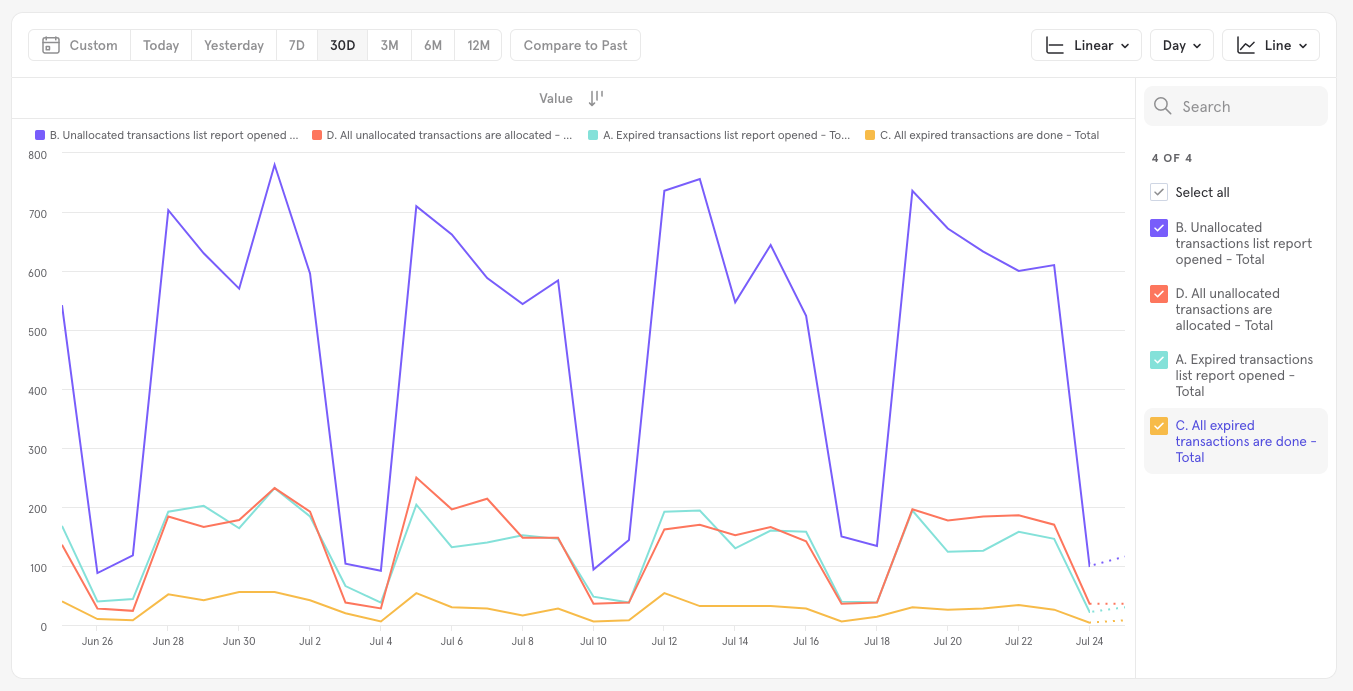
Chart details:
- “B. Unallocated transactions list report opened” (purple) — users opened the inbox for uncategorized transactions.
- “A. Expired transactions list report opened” (teal) — users opened the inbox for overdue planned transactions.
The results showed that:
- Users open the uncategorized transactions inbox much more often than the inbox for overdue planned transactions.
- Both features are used mostly on workdays.
Based on the results, we kept both inboxes but decided not to invest further in the overdue payments inbox. Instead, we focused the next hypotheses on more proactive ways to remind users about overdue payments.
Next hypotheses in this direction:
- Send a notification about an overdue payment to the person responsible for that counterparty.
- Send a reminder to the counterparty to pay the invoice.