Finolog — accounting platform for small businesses
- When
- 2016–2022
- My role
- Product design and frontend development in the early stages. The leadership of the design team starting from 2019.
finolog.ru is an accounting service for small and medium-sized businesses. It combines bank data import, operational money tracking, forecasting, and management reporting (cash flow, P&L, cost analysis, and balance insights).
At Finolog I grew from an early-stage product designer and frontend contributor to design lead. In the early stage I owned end-to-end product UX. Later I led the design function and focused on scaling activation, clarity, and reporting quality.
Money accounting
On the first screen of the business, operational accounting takes place. Here’s a cash flow chart, custom pie charts, and a transaction table. Transactions can be edited both one at a time and in bulk:
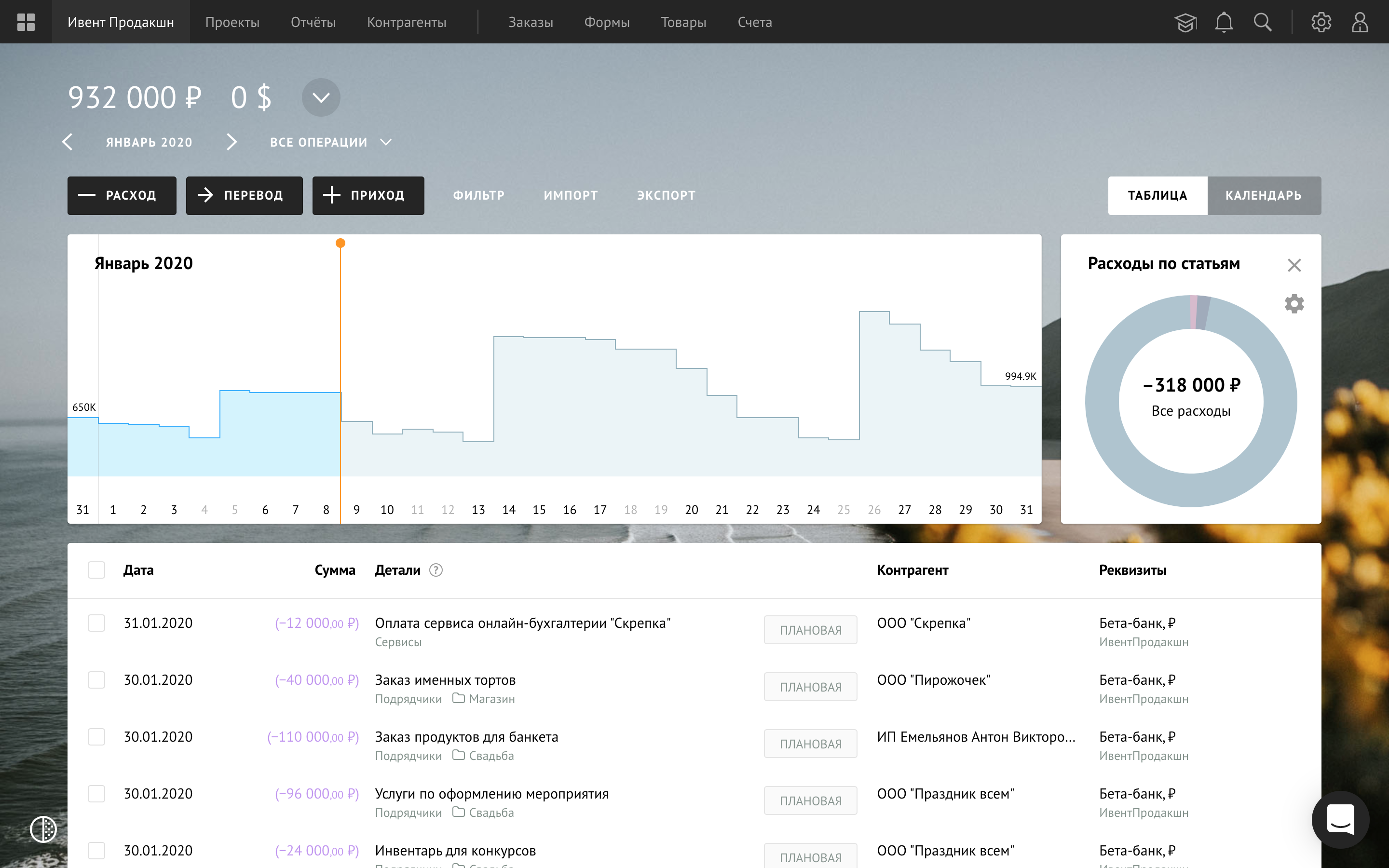
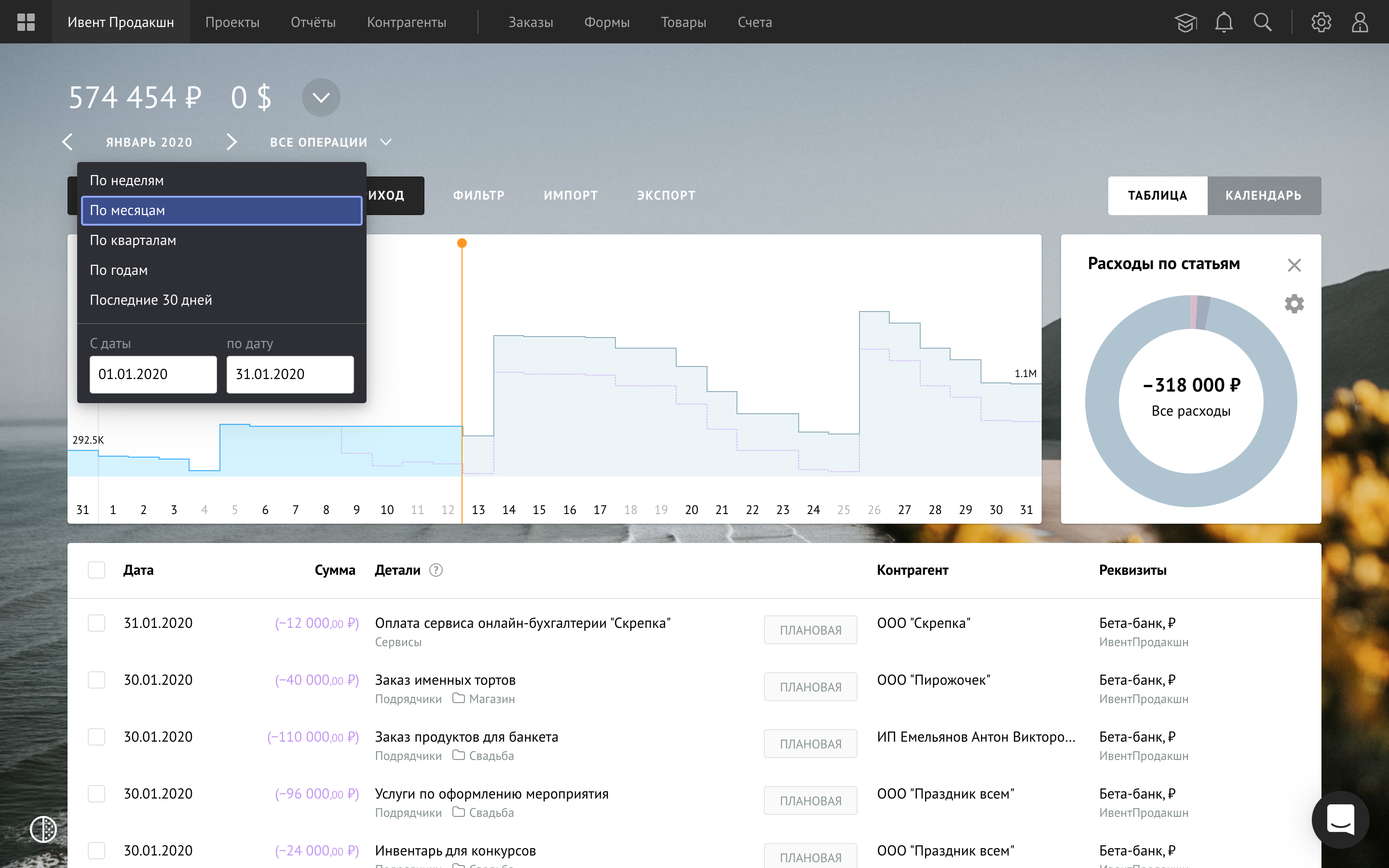
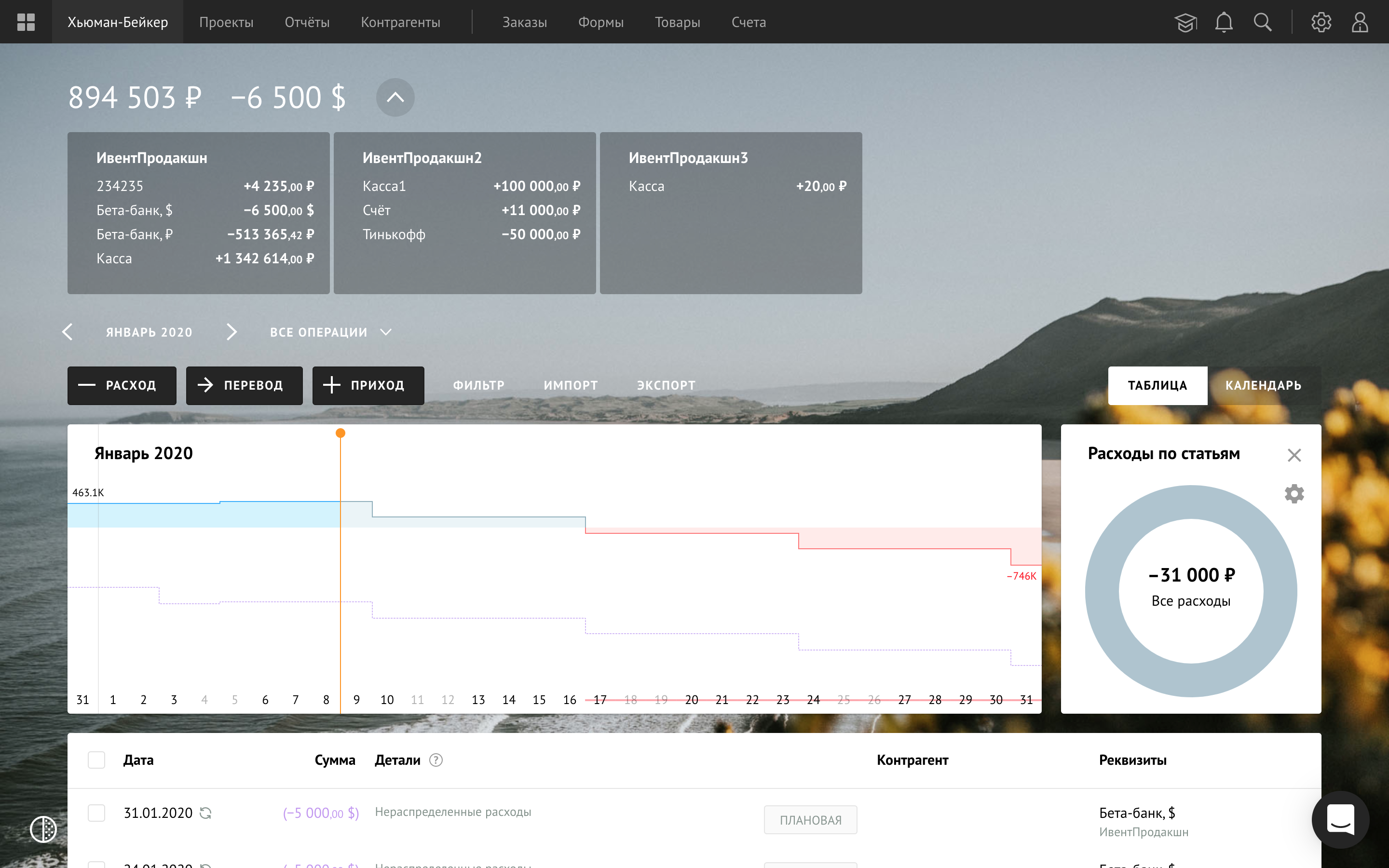
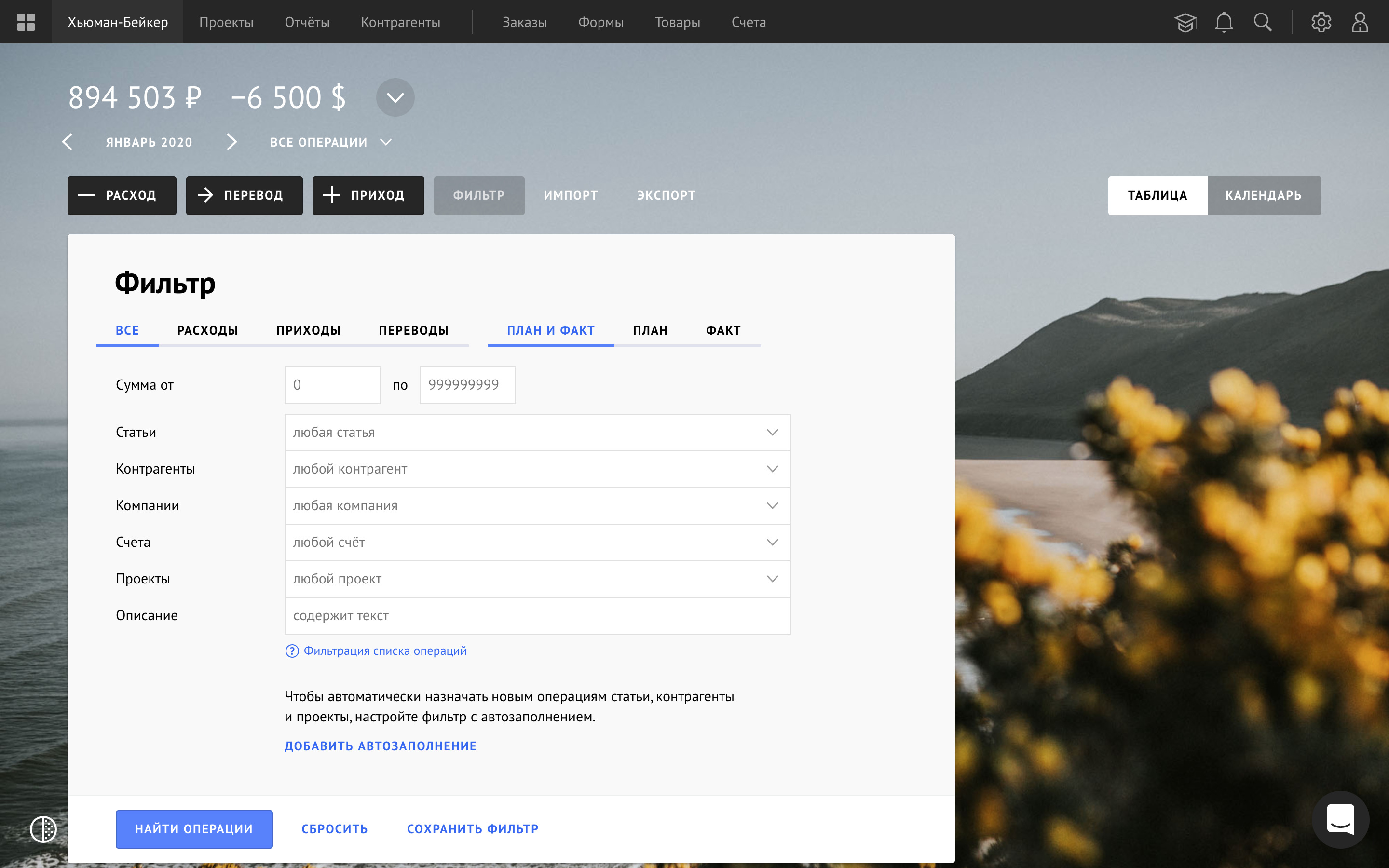
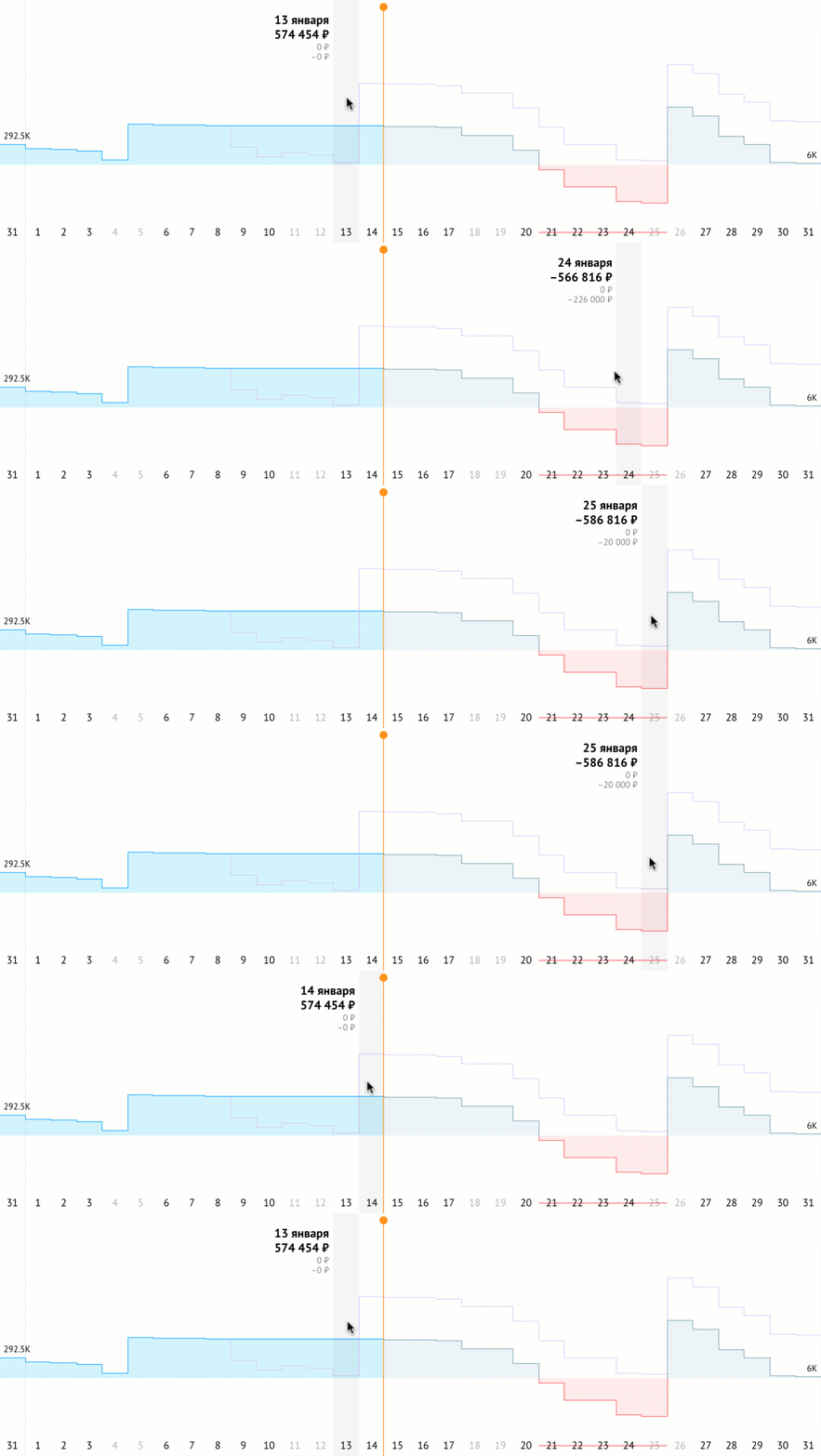
The chart predicts cash flow based on planned and recurring transactions. And shows the cash gap:
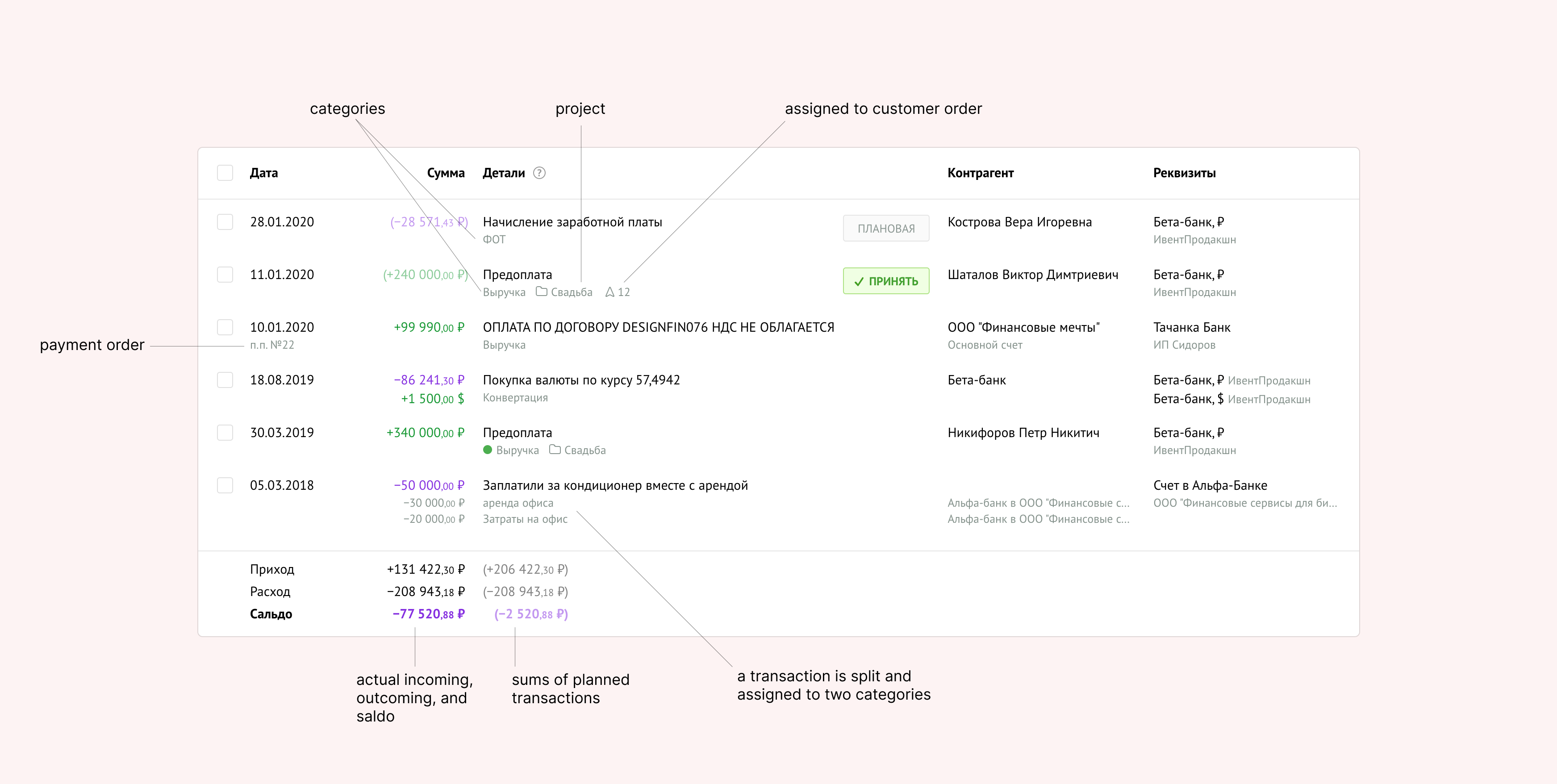
Editing and adding transactions go through the transactions table. Elements in the table are two-line to fit more information and group it at the same time.
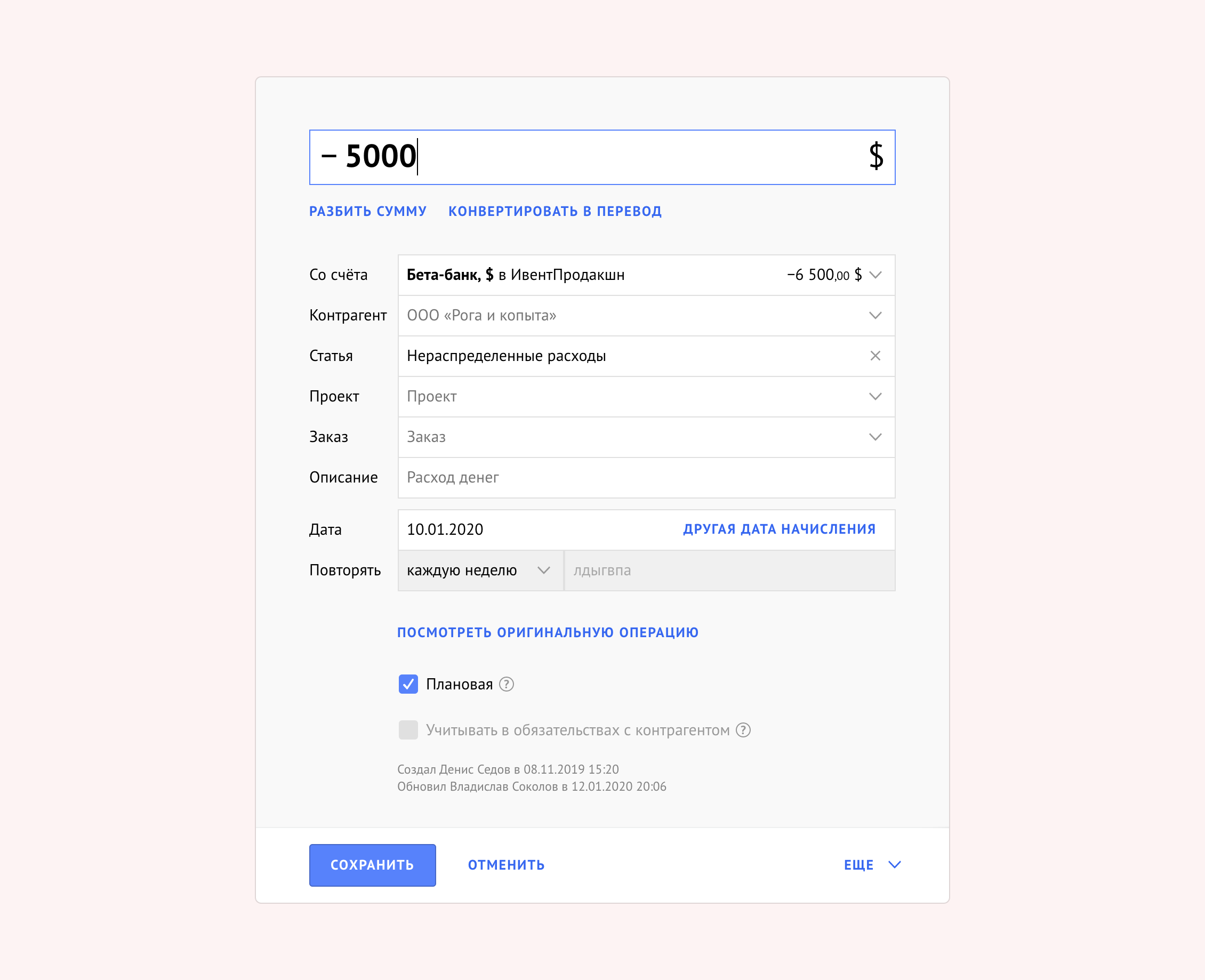
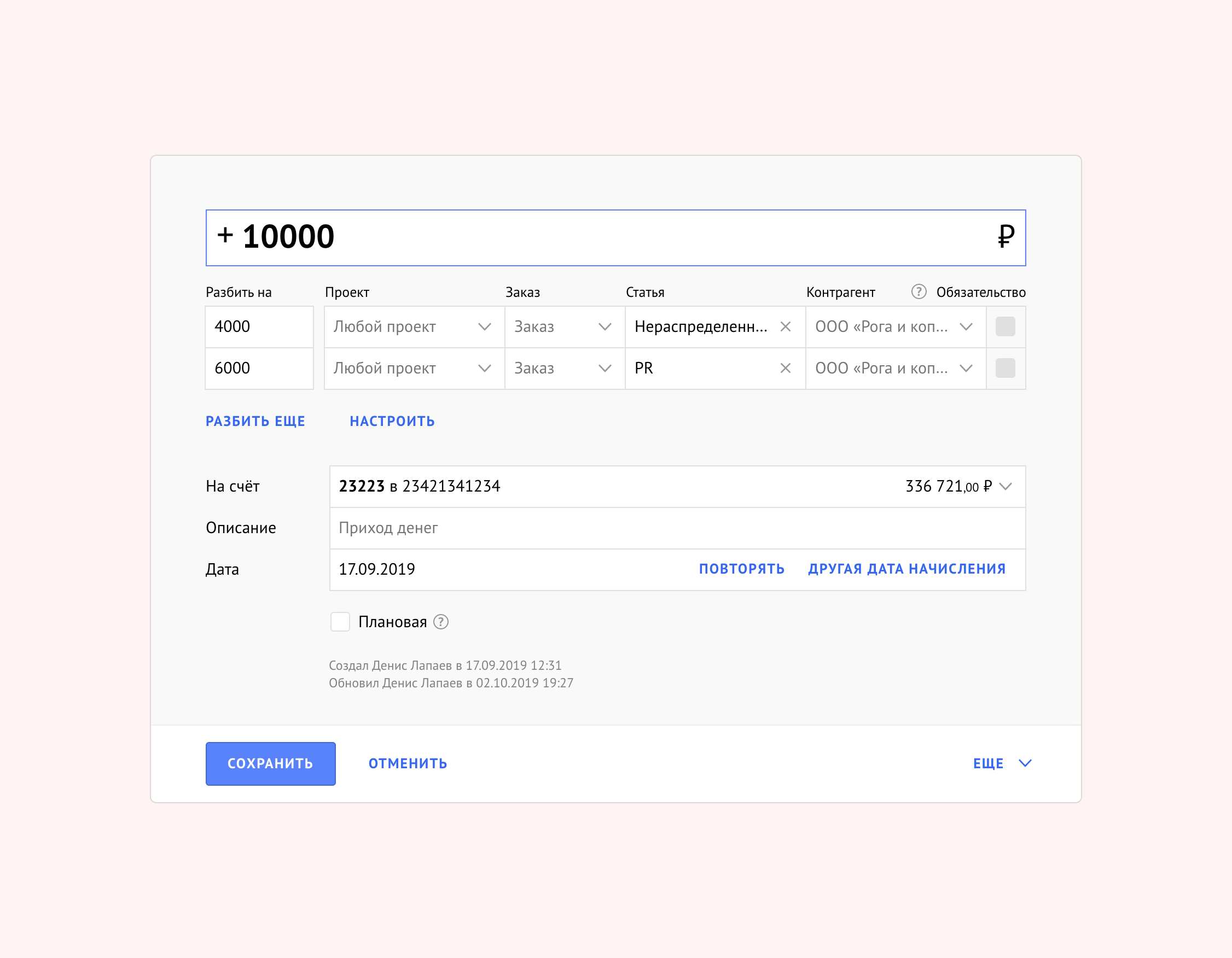
One of the essential cases was the splitting of transactions. Often happens, that clients make one transfer for several orders at once. Or one expense pays for several categories of costs. Finolog loads a transaction from a bank, and then the user wants to divide it into several categories. For this, we created the splitting of a transaction into several parts. Each part can be assigned to the necessary attributes independently. But the initial sum remains as a parent:
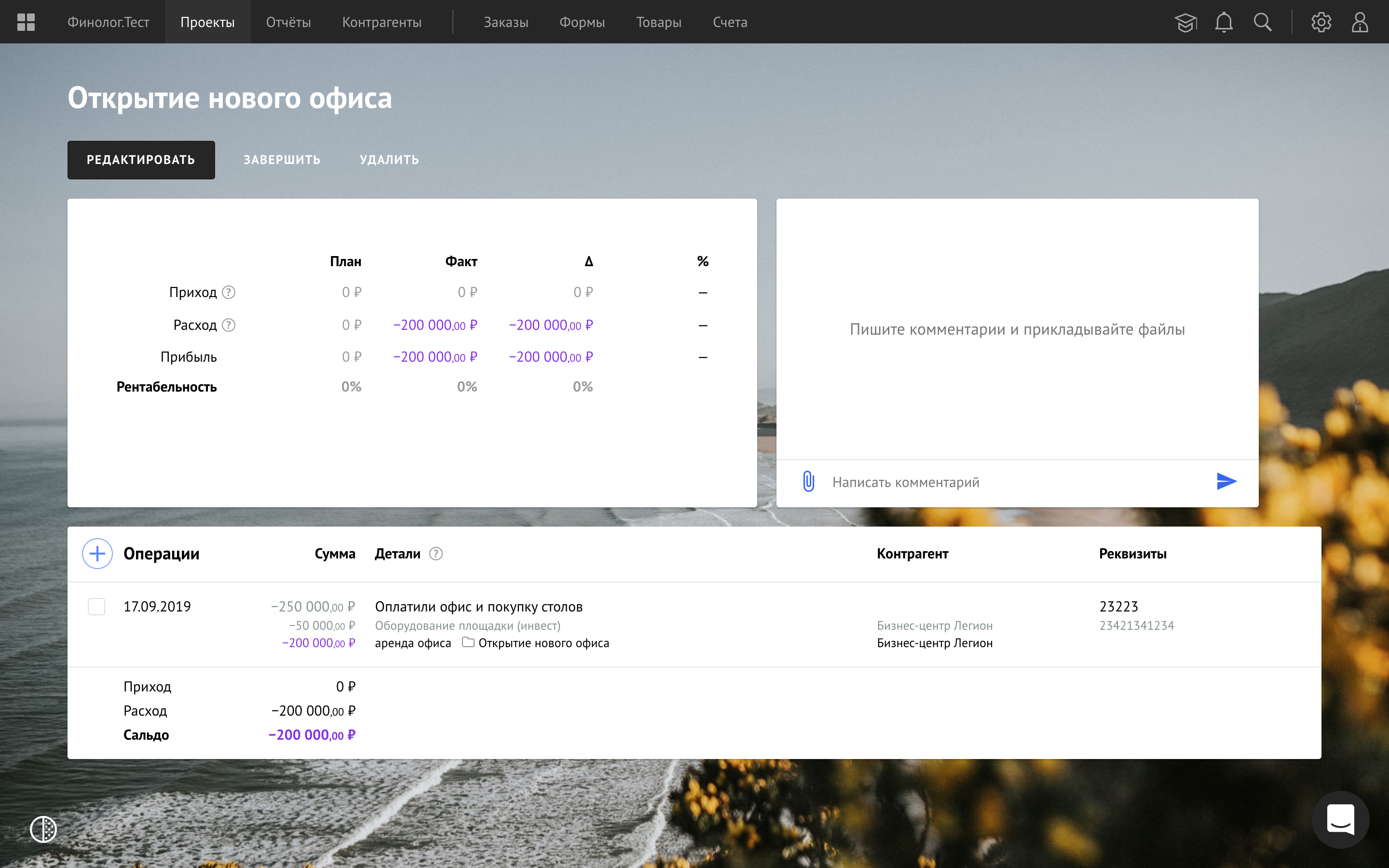
When a part of the split transaction falls into a filter, project or report, this part is highlighted. And the rest sums are gray. So the user always understands where is this sum comes from. For example, ₽200,000 are tied to a project from a transfer of ₽250,000:
Bank connection
Finolog automatically downloads transactions from banks in real time and shows the account balance. Then you can set transactions to categories, projects, and contractors. The video below shows the flow of connecting the bank account:
Reports
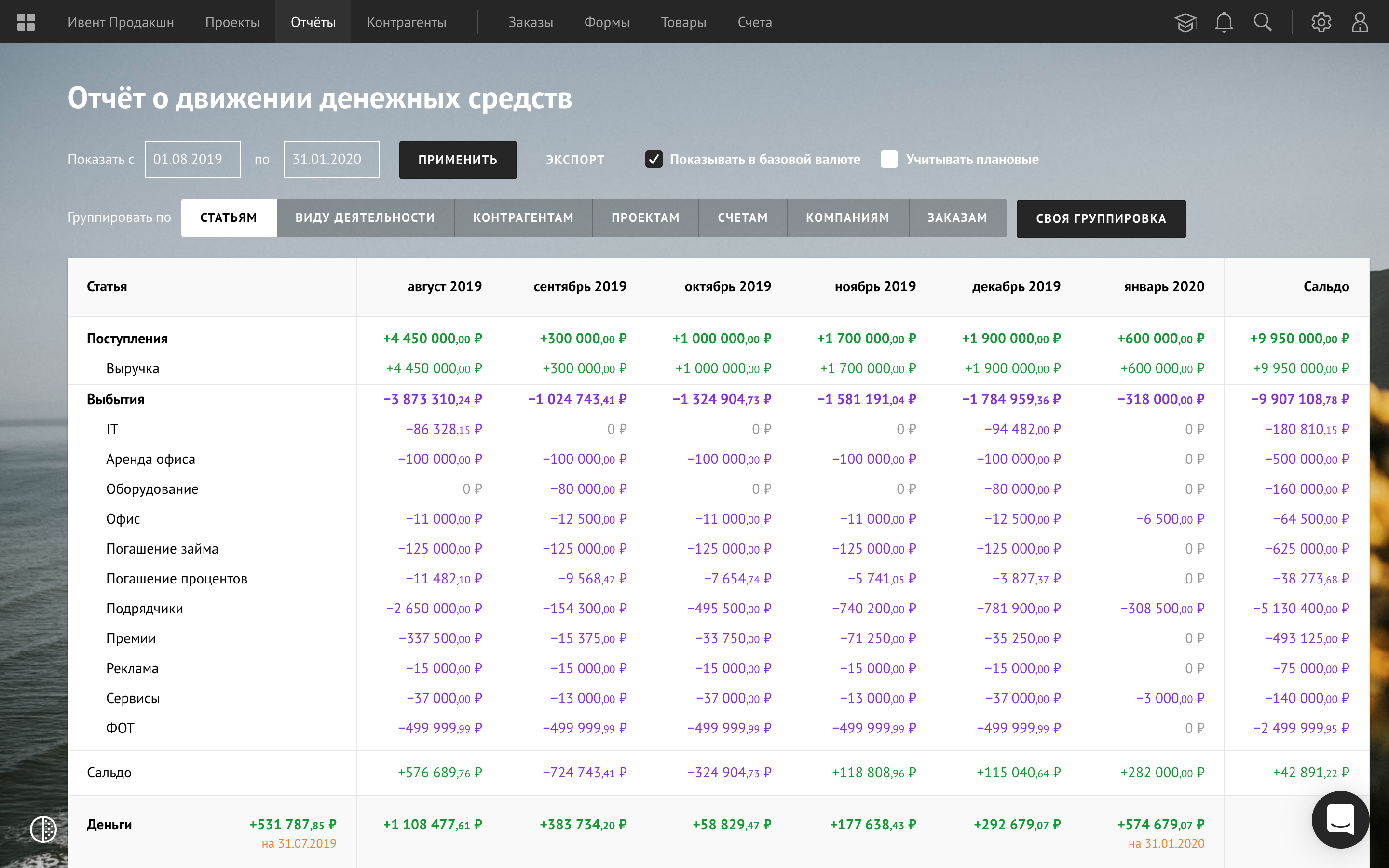
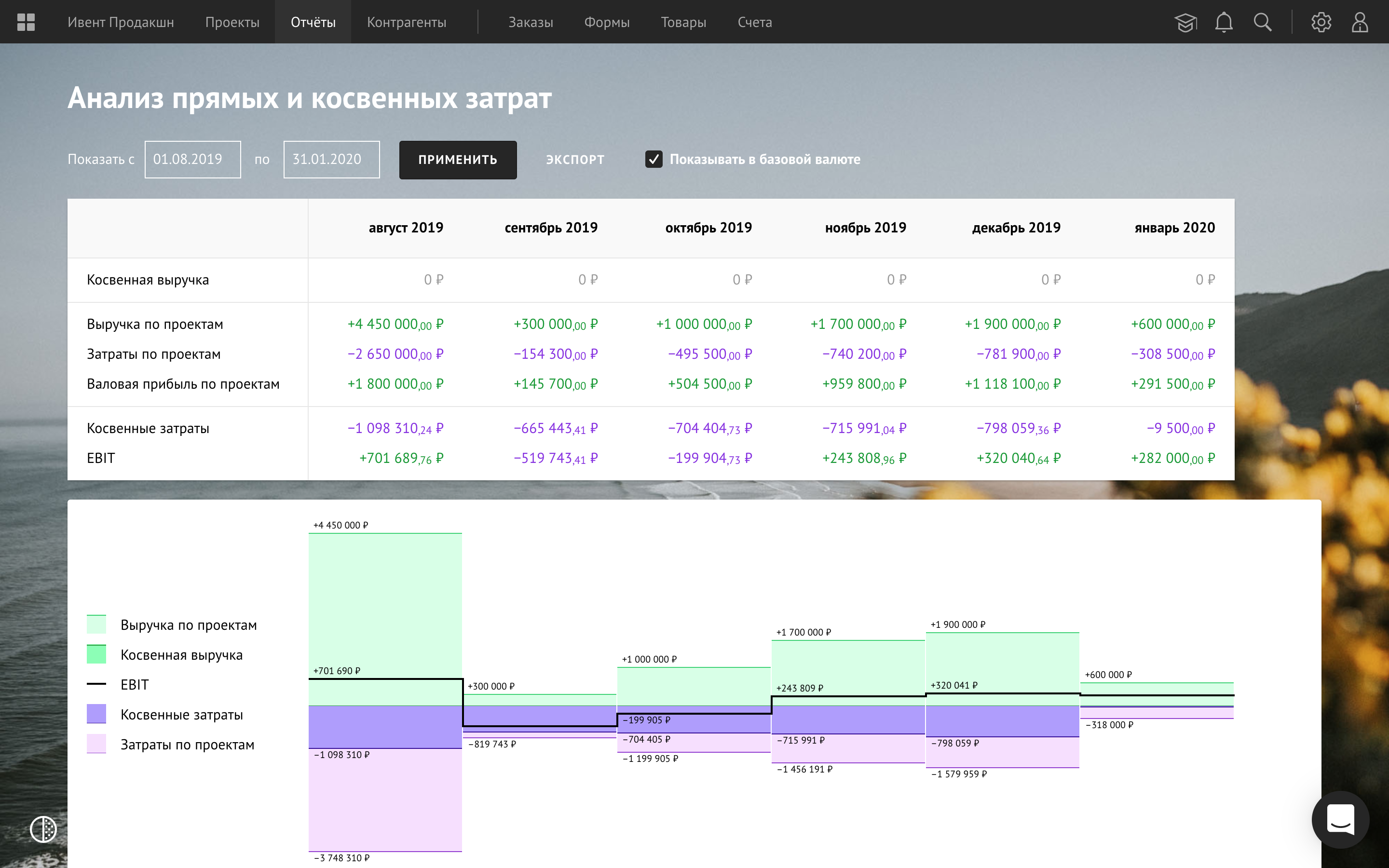
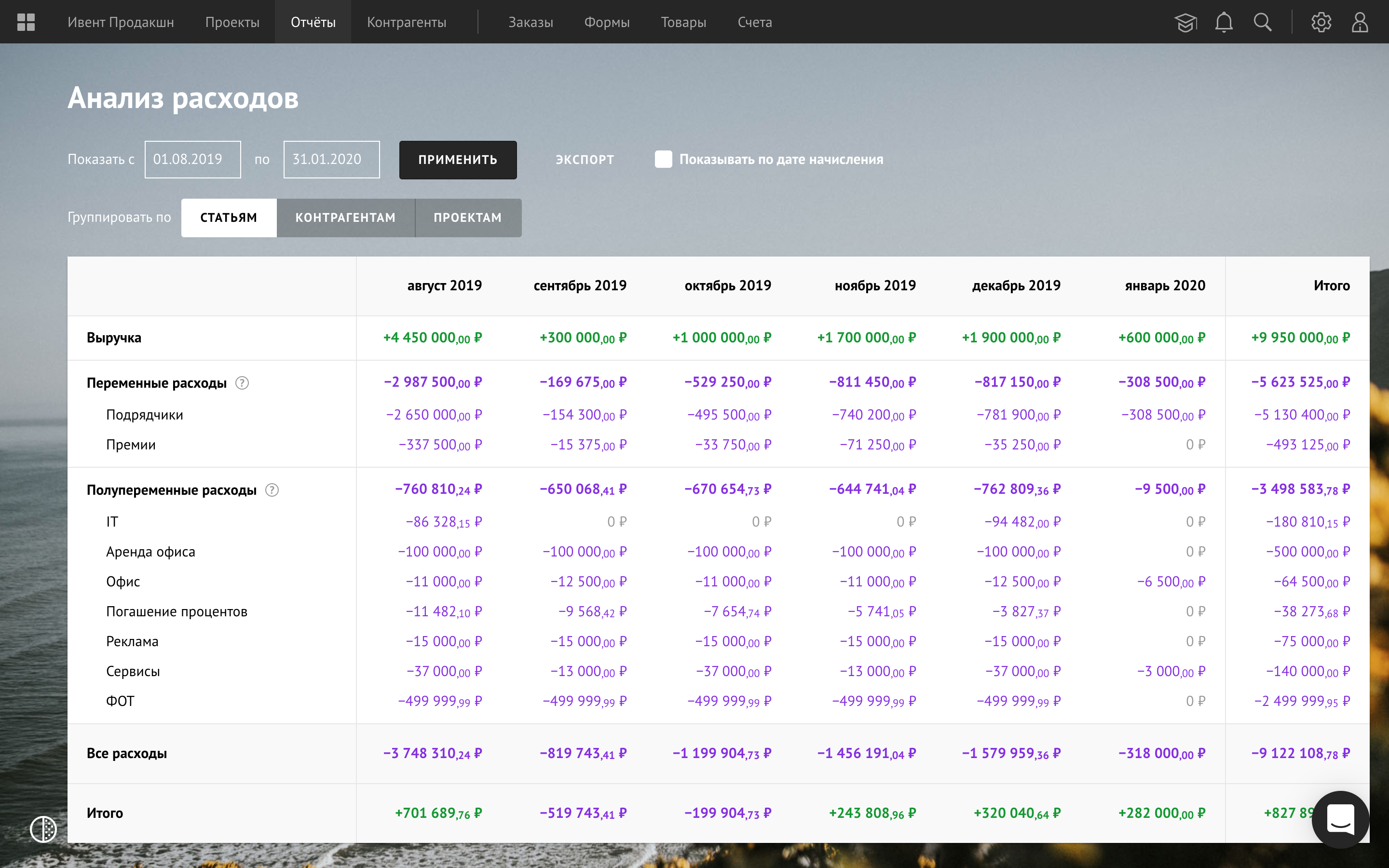
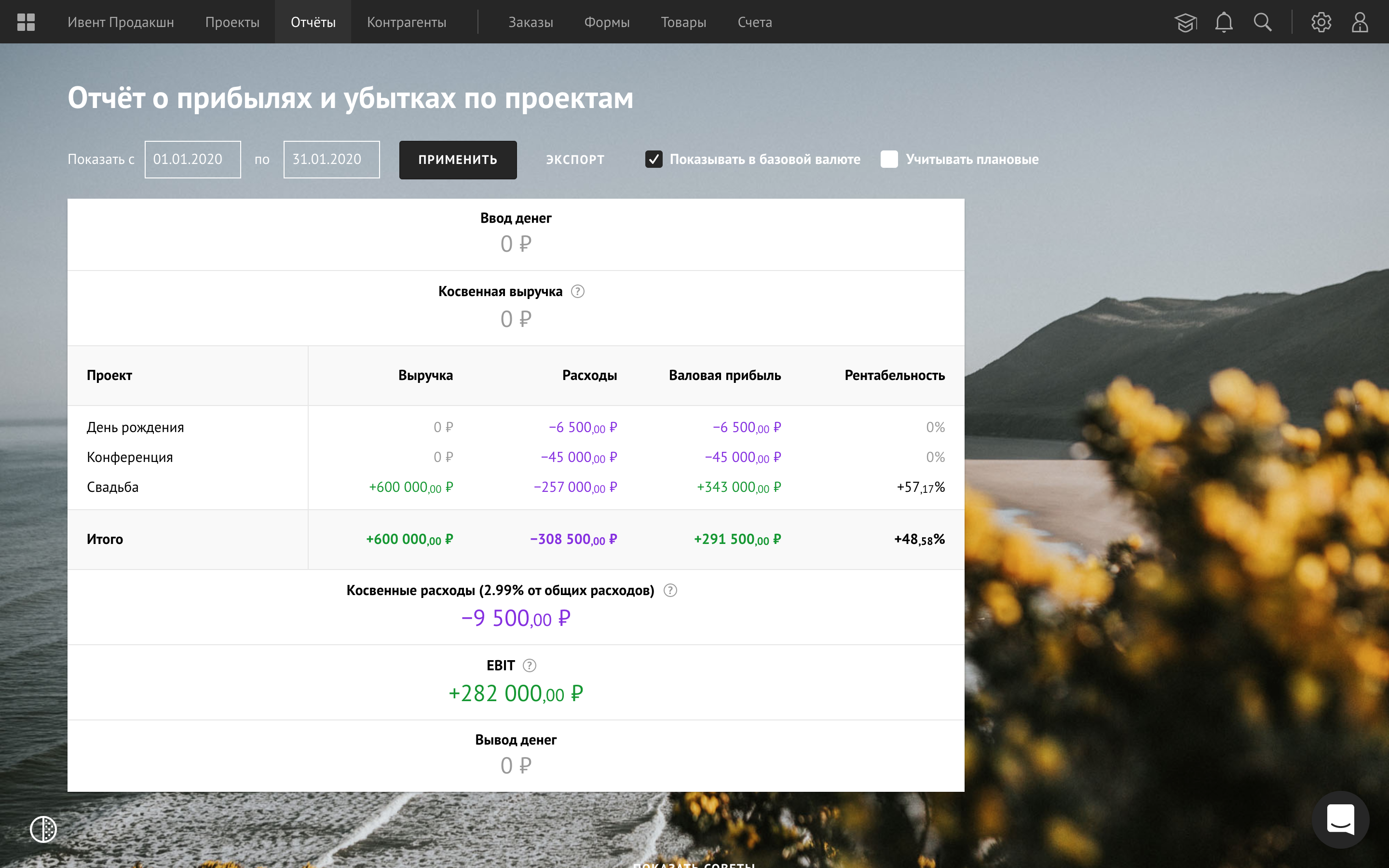
Cash flow statement · Analysis of direct and indirect costs · Report about incomes and losses · P&L by projects:
Orders
Orders in Finolog serve not only for invoicing but also for a detailed accounting of obligations. Here is a screencast on working with orders:
Embedded order form
This is a solution for accepting orders and payments through a website. Finolog’s client creates, customizes the form, and inserts it on a website.
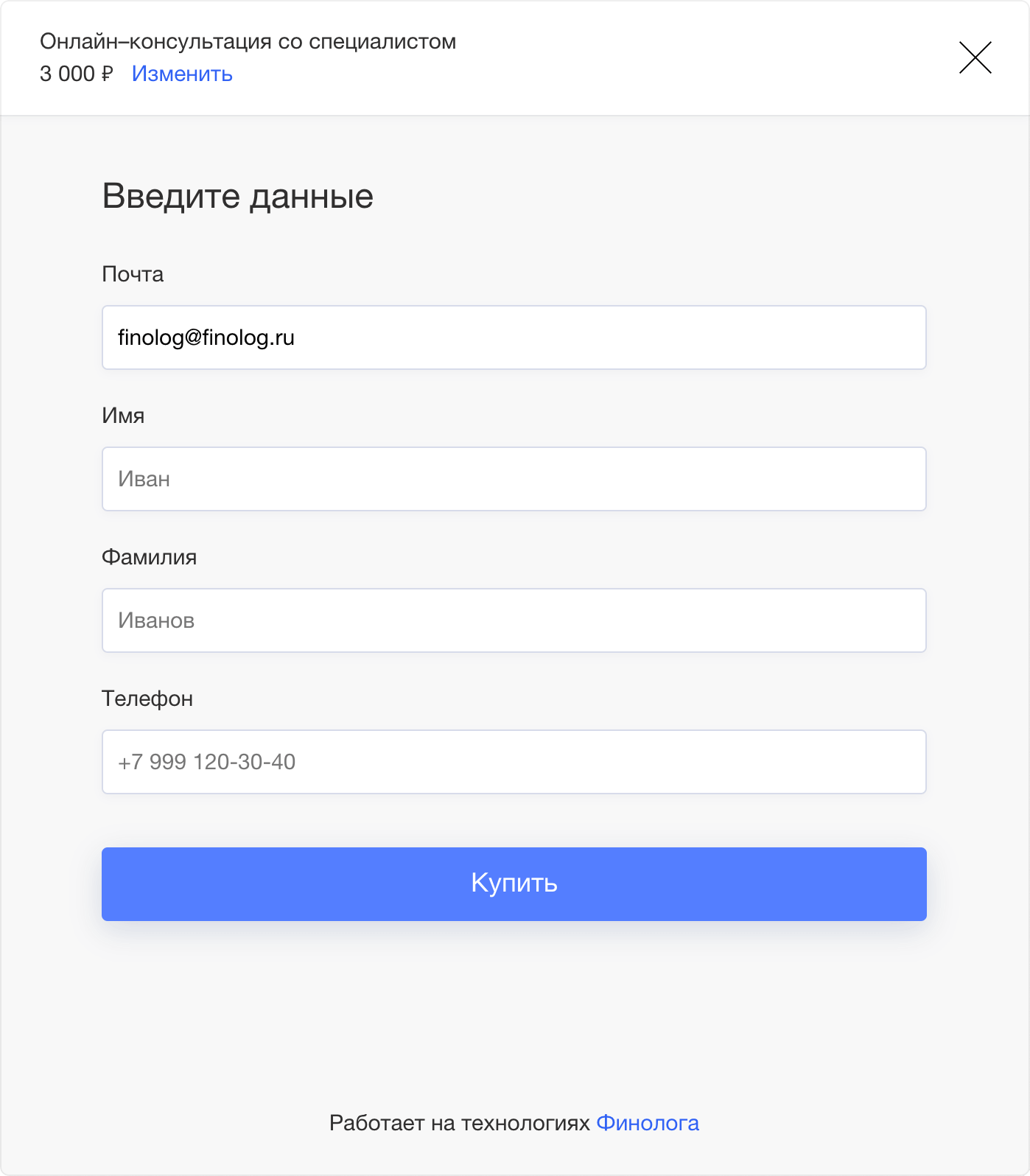
We decided that the form appears on the right side of the screen. Here is the end-customer purchase process:
Customizing the form is visually similar to the form itself (kind of a preview). The user creates offers and connects payment methods. An offer is made up of one or more products. Offer may be with a unique description and price. Thus, the goods from the catalog can be sold with different conditions in different forms. Here is the form setup process: